Tmux 使用手册
资料:
1. 安装与配置
安装
shell
# Ubuntu/Debian
sudo apt-get install tmux

# CentOS/RHEL
sudo yum install tmux

# macOS (使用 Homebrew)
brew install tmux配置
tmux 的配置文件位于 ~/.tmux.conf。以下是一些常用配置示例:
shell
# 设置前缀键为 Ctrl+a(比默认的 Ctrl+b 更容易按)
unbind C-b
set -g prefix C-a
bind C-a send-prefix

# 启用鼠标支持(可以鼠标点击切换面板/窗口)
set -g mouse on

# 设置状态栏颜色
set -g status-bg black
set -g status-fg white

# 设置面板边框颜色
set -g pane-border-style fg=green
set -g pane-active-border-style fg=red

# 设置窗口从1开始编号(默认是0)
set -g base-index 1
setw -g pane-base-index 12. 常用操作与快捷键
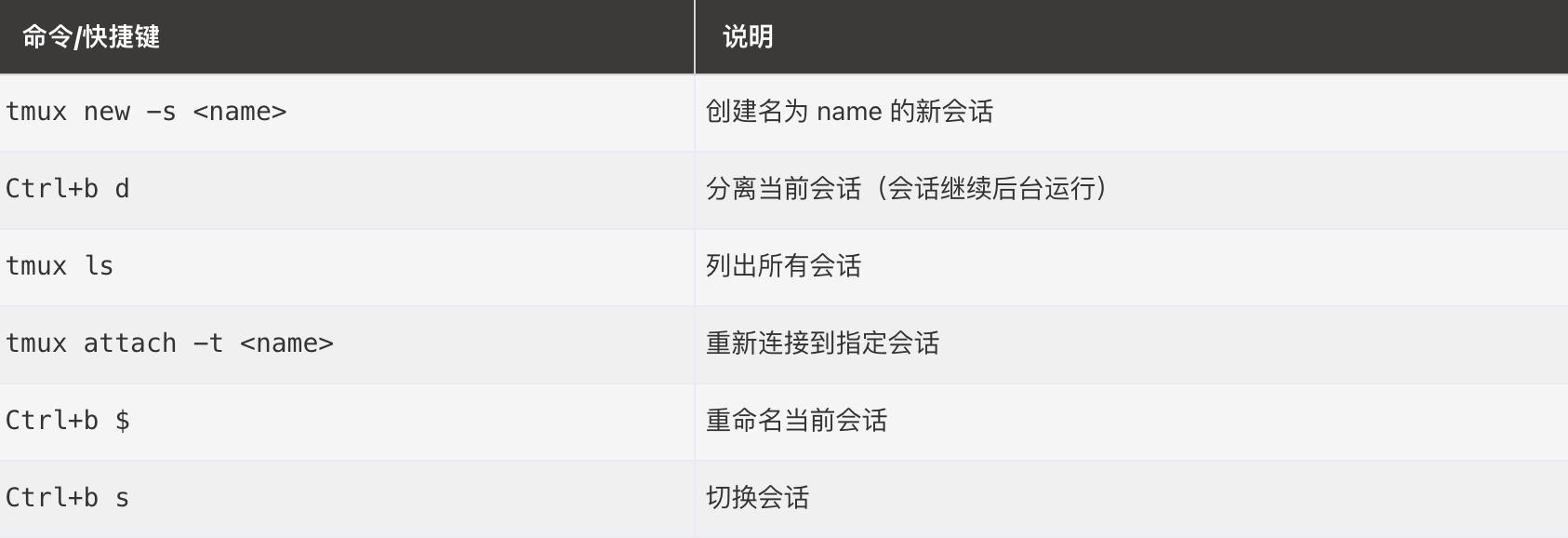
回话操作
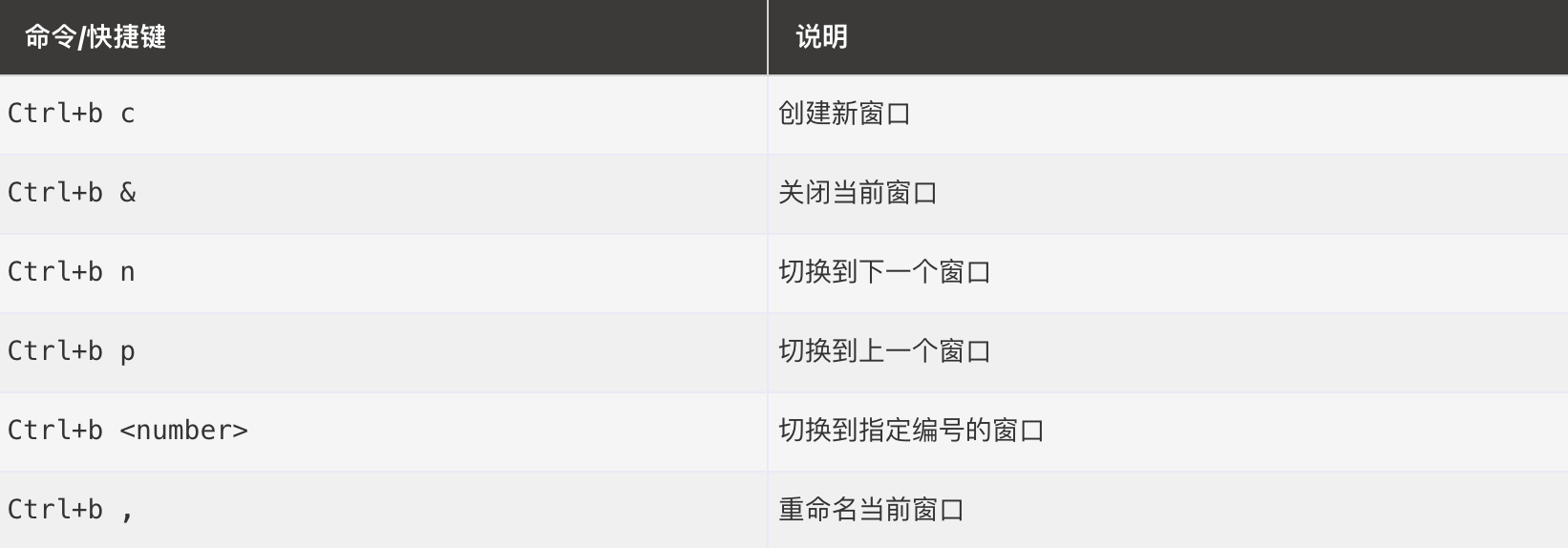
窗口操作
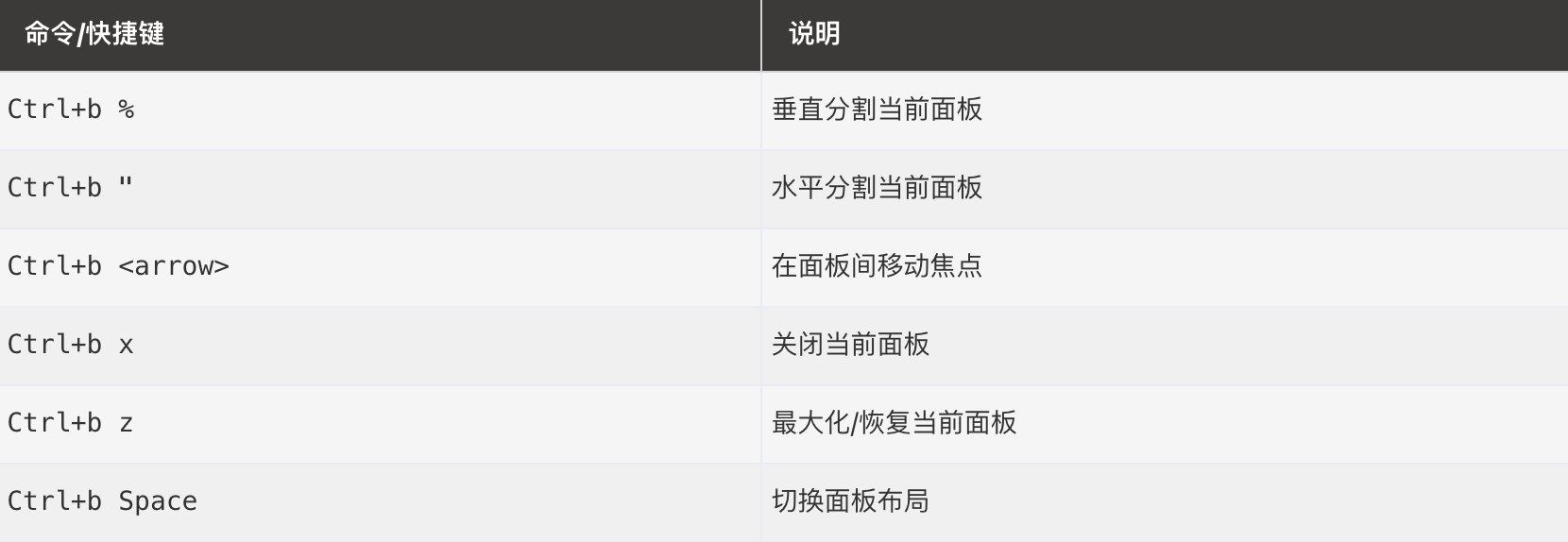
面板管理